Cubeler · 2026 · Web Design and SaaS
Cubeler Advertising 2026: Targeting, Formats and the Ad Server
The next version of Cubeler Advertising: richer targeting and new ad formats for members, and for the first time, the controls Cubeler's own team needs to run an ad business.
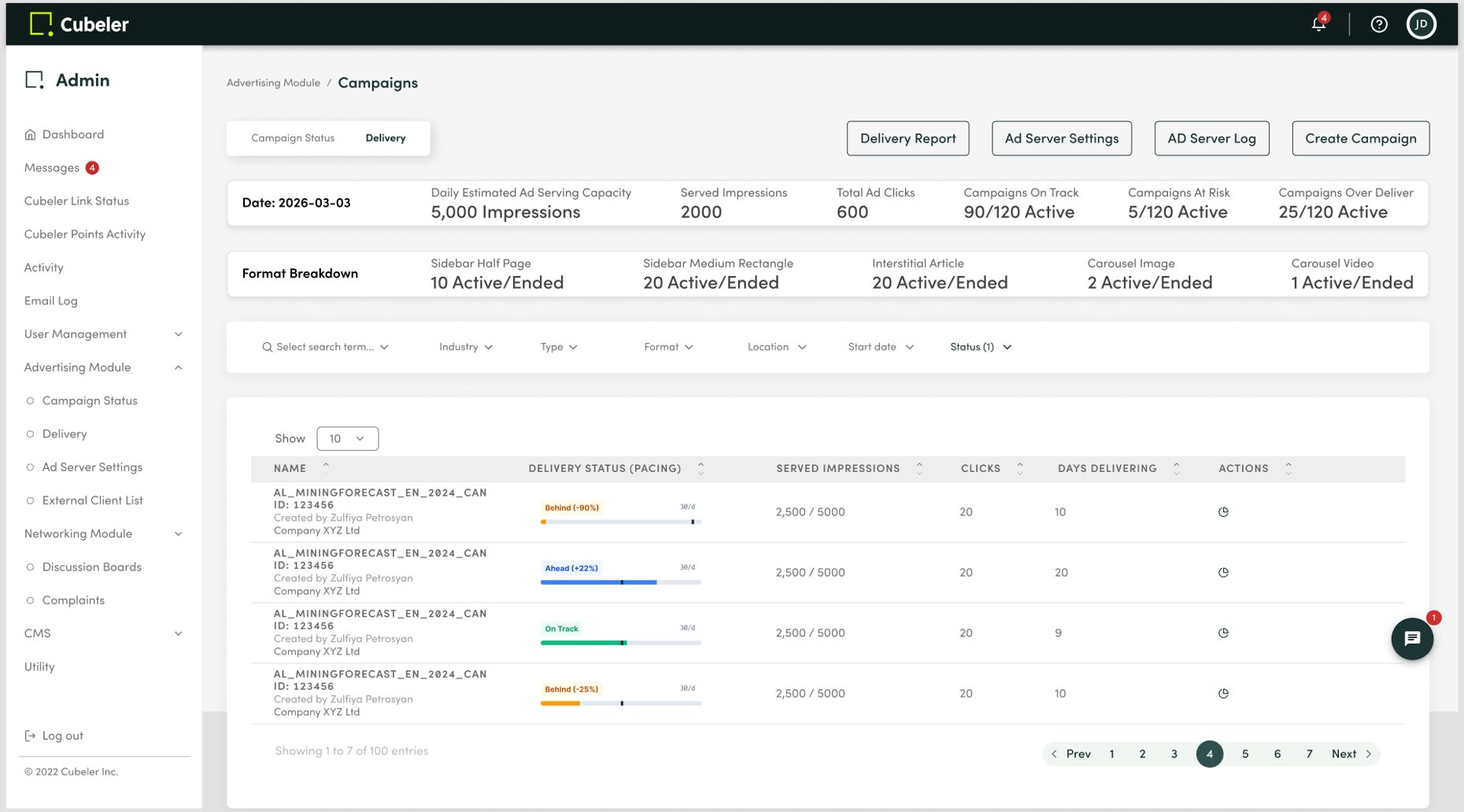
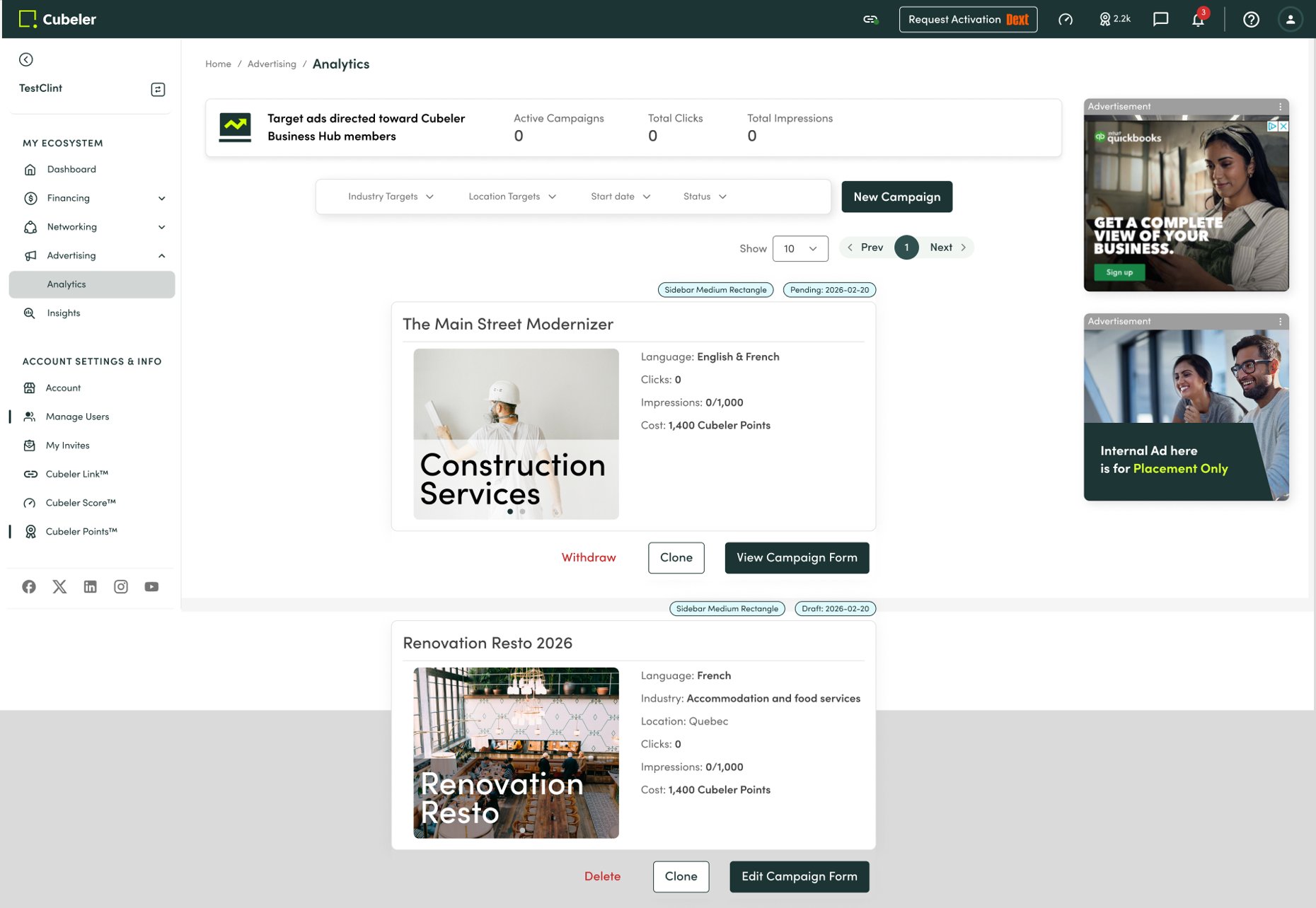
The first version of Cubeler Advertising let a member run a banner campaign to other members. This update adds the features that were not in the first version. Members get more ways to target and more formats to advertise in. In addition Cubeler's team gets the tools to create campaigns for outside clients, monitor delivery, and control how the ad server shares its space. The admin tools are based on my advertiser research, which concluded that the first external deals would be direct ones.
Audience Targeting
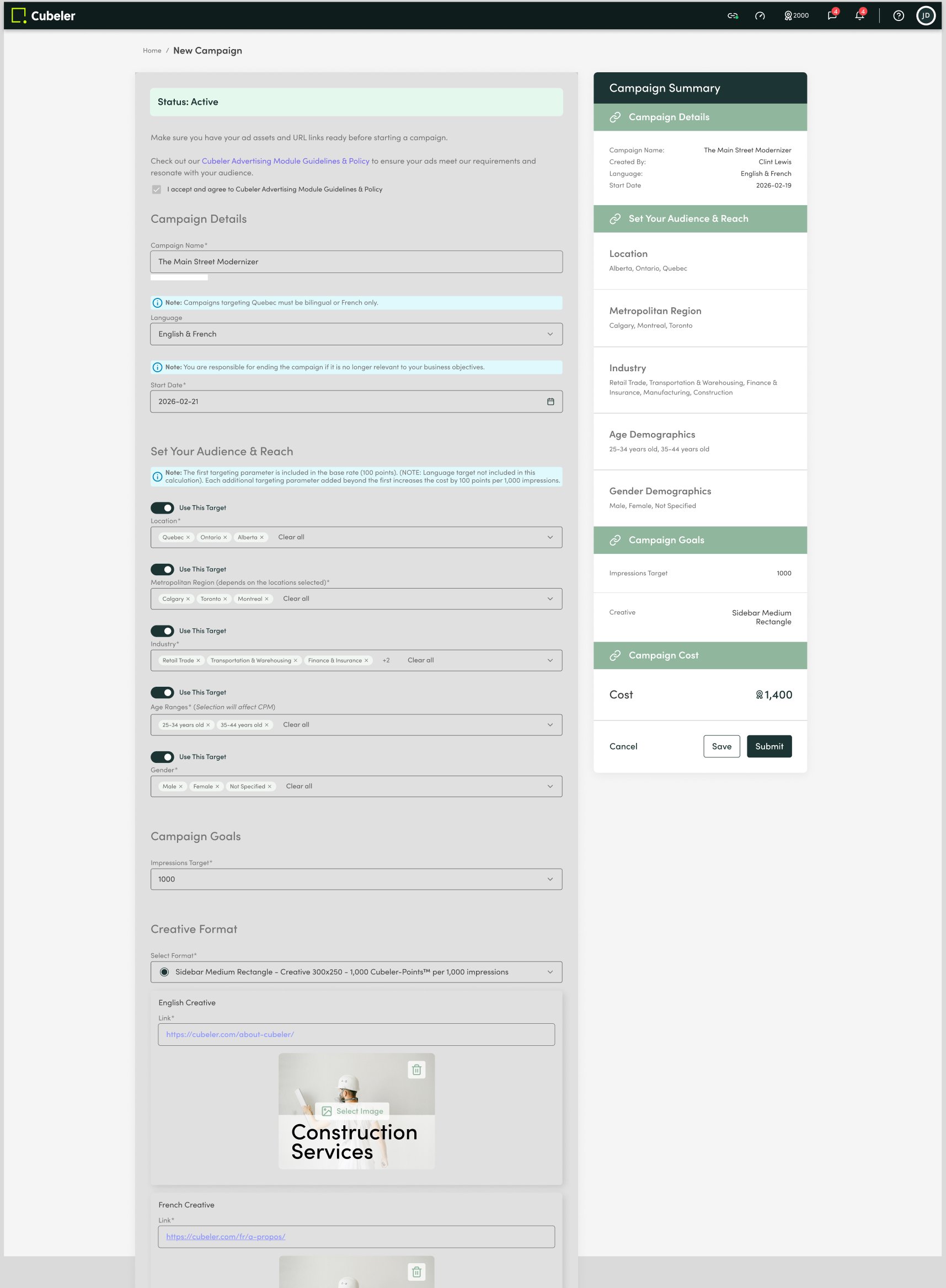
The first version targeted by province, industry and language. This version adds metropolitan region, age and gender, and every target has its own switch. I wrote the rules into the design so the developers would not have to guess:
- The first target is included in the base rate. Each additional target raises the cost by 100 points per 1,000 impressions, and the summary shows the new cost right away.
- A member cannot turn off every target. At least one stays active at all times.
- Location and metropolitan region are synced. The metro list depends on the locations chosen, and turning one off turns off the other.
- If Quebec is one of the locations, the campaign must be in French or bilingual. The form states this before the member encounters an error.
- Only a start date is required, at least 2 days out. The member is responsible for ending the campaign, and the form states this.
Creative Formats
Previously members could only run 2 sidebar banners. There are now 5 formats, each with its own price per 1,000 impressions:
- Sidebar Medium Rectangle
- Sidebar Half Page
- Interstitial Article
- Carousel Image
- Carousel Video
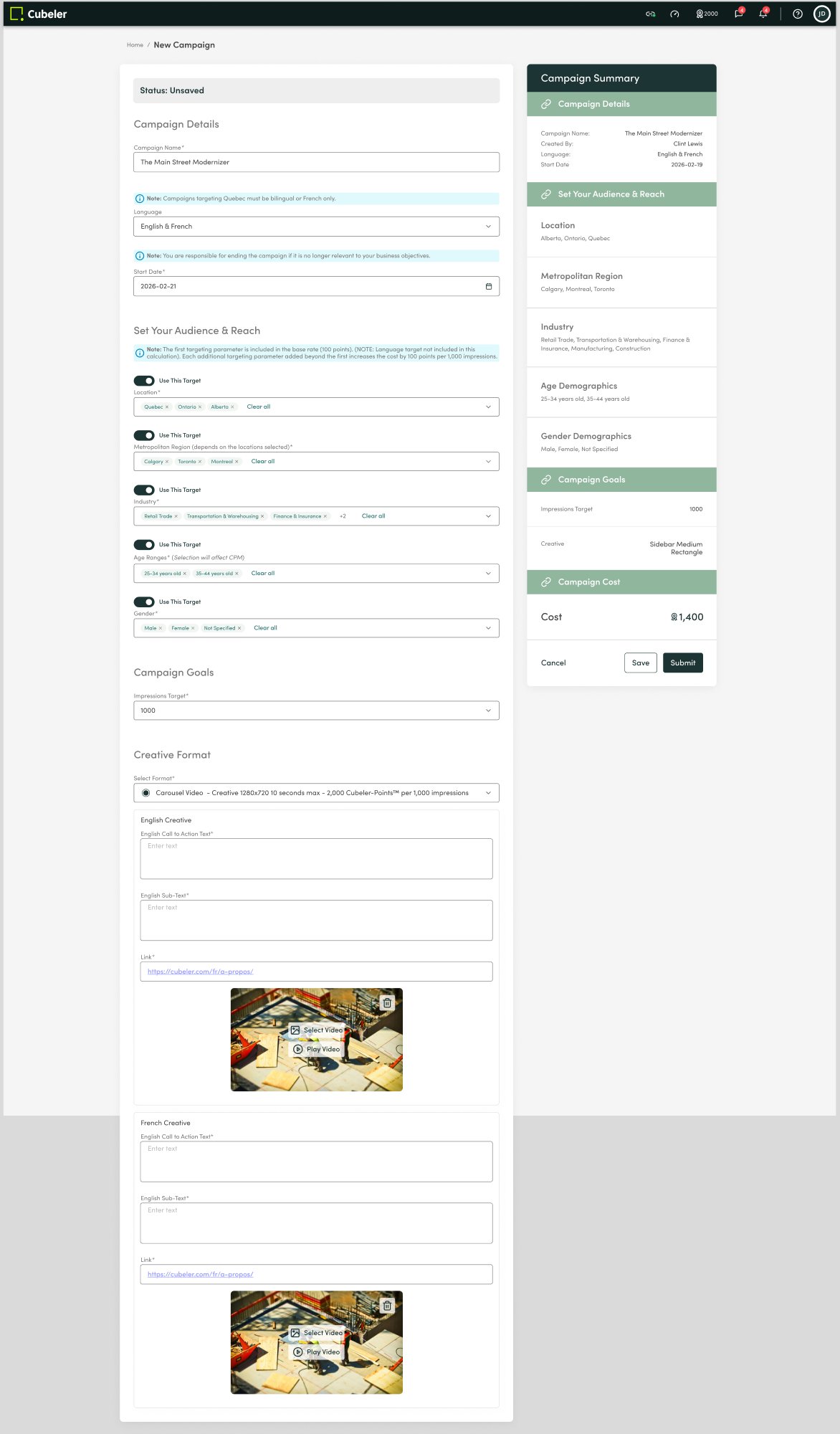
Every format takes an English and a French creative. A member can upload an image larger than the spec and adjust the zoom and centre to frame it, instead of having to resize it in another tool. A video runs 10 seconds at most, and when it ends a call to action button appears.
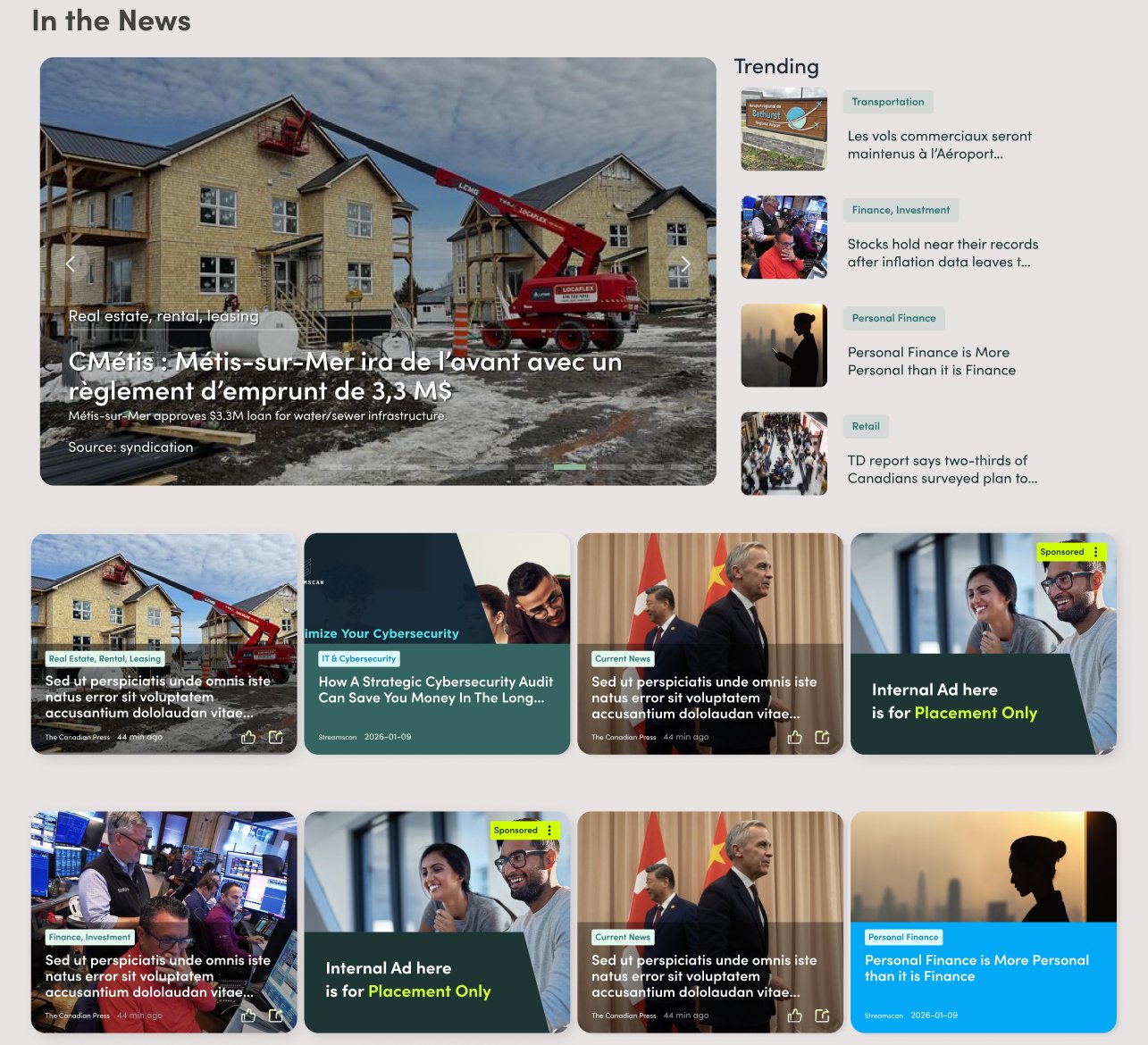
Ads now appear in more places:
- A sticky sidebar that changes its layout every 4 refresh cycles
- Sponsored cards in the news feed
- Inside articles
- In the carousel
Campaign Analytics
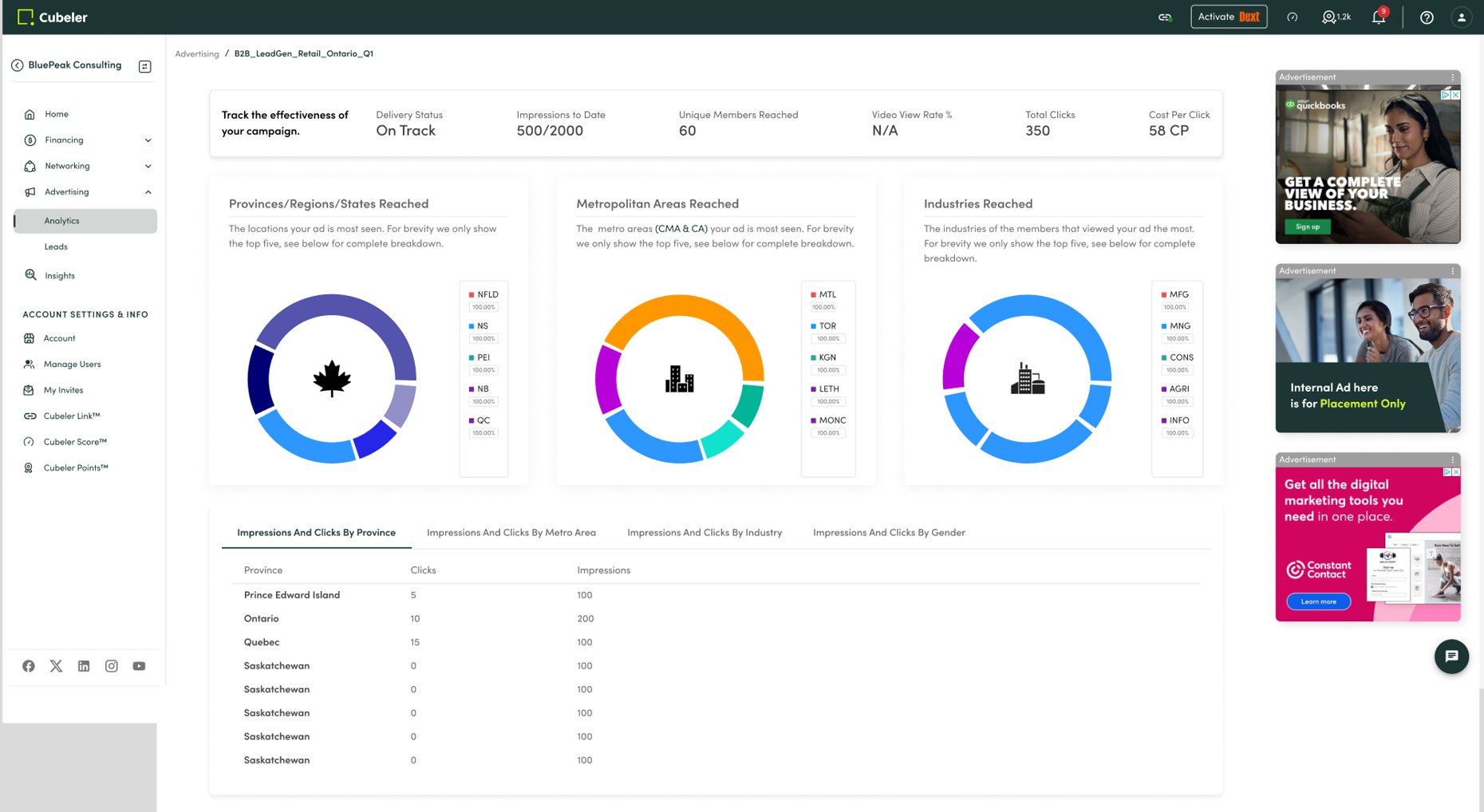
A member's first question is whether the campaign is working. Thus the analytics open with a delivery status of “On Track”, “At Risk” or “Over Delivered”.
Next to the status are impressions to date, unique members reached, video view rate, clicks and cost per click. Below, the reach is broken down by province, metropolitan area, industry and gender, and the data can be downloaded.
Admin Console
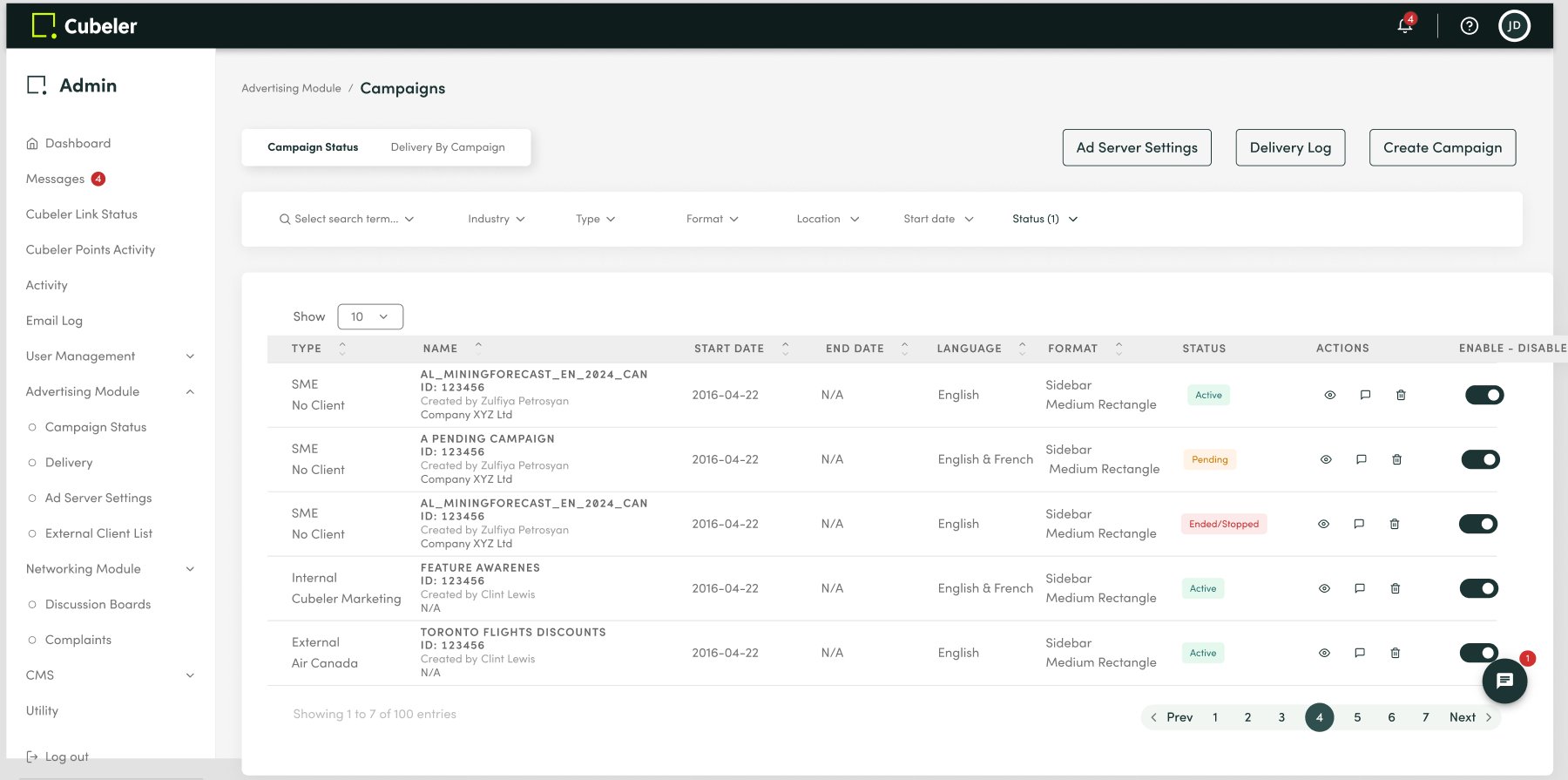
In addition to the member features, Cubeler's team needed a way to manage the advertising platform. The admin console lists every campaign by type:
- SME campaigns from members
- Internal campaigns for Cubeler's own marketing
- External campaigns for outside clients
An admin can create a campaign on behalf of Cubeler or a client, after confirming the contract is final. They can also message a campaign's creator, flag a campaign, archive it or disable it.
Each of these actions has a confirmation that states exactly what happens. For example, disabling a campaign pauses delivery but does not change the total impressions owed.
Ad Server Settings
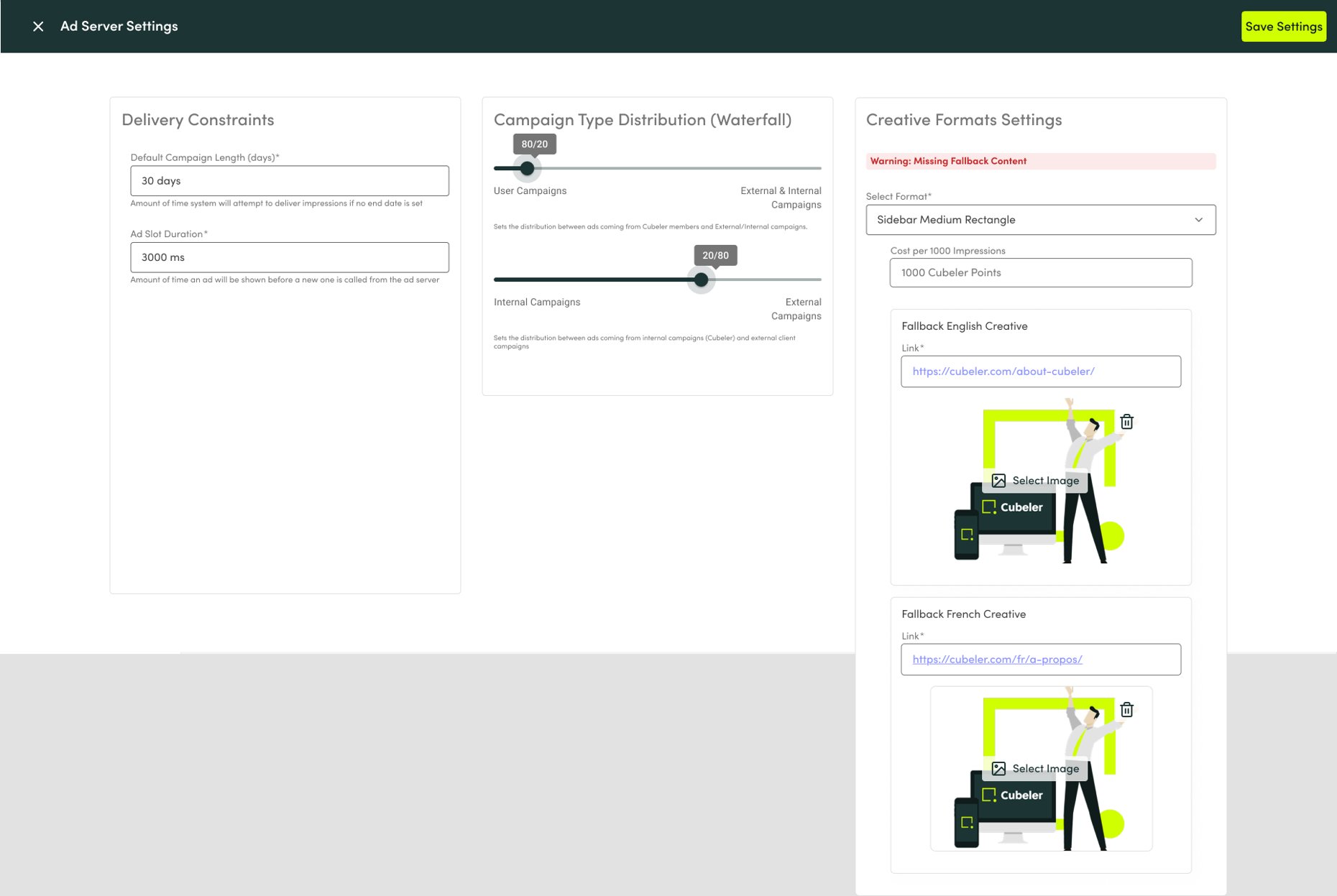
The ad server decides which ad fills each slot. I designed its controls as 3 panels and wrote the handoff notes that explain the logic behind them.
Delivery constraints
A default campaign length for campaigns with no end date, so pacing always has a timeframe to work from. In addition, how long each ad stays in a slot before the next one is called.
The waterfall
2 sliders split the ad space. The first reserves a share for member campaigns. The second divides what is left between internal and external campaigns. I chose sliders instead of text fields so the shares can never add up to more than 100%.
Fallback creatives
Every format has a default English and French creative, so a slot never shows a broken image when paid campaigns run out. A warning is shown when one is missing.
Delivery Monitoring
The delivery view gives an admin a summary of the day. It shows the estimated serving capacity, impressions served, clicks, and how many campaigns are on track, at risk or over-delivering.
Each campaign shows its pacing as a bar with a marker for where it should be today, labelled “Behind”, “On Track” or “Ahead” with the percentage.
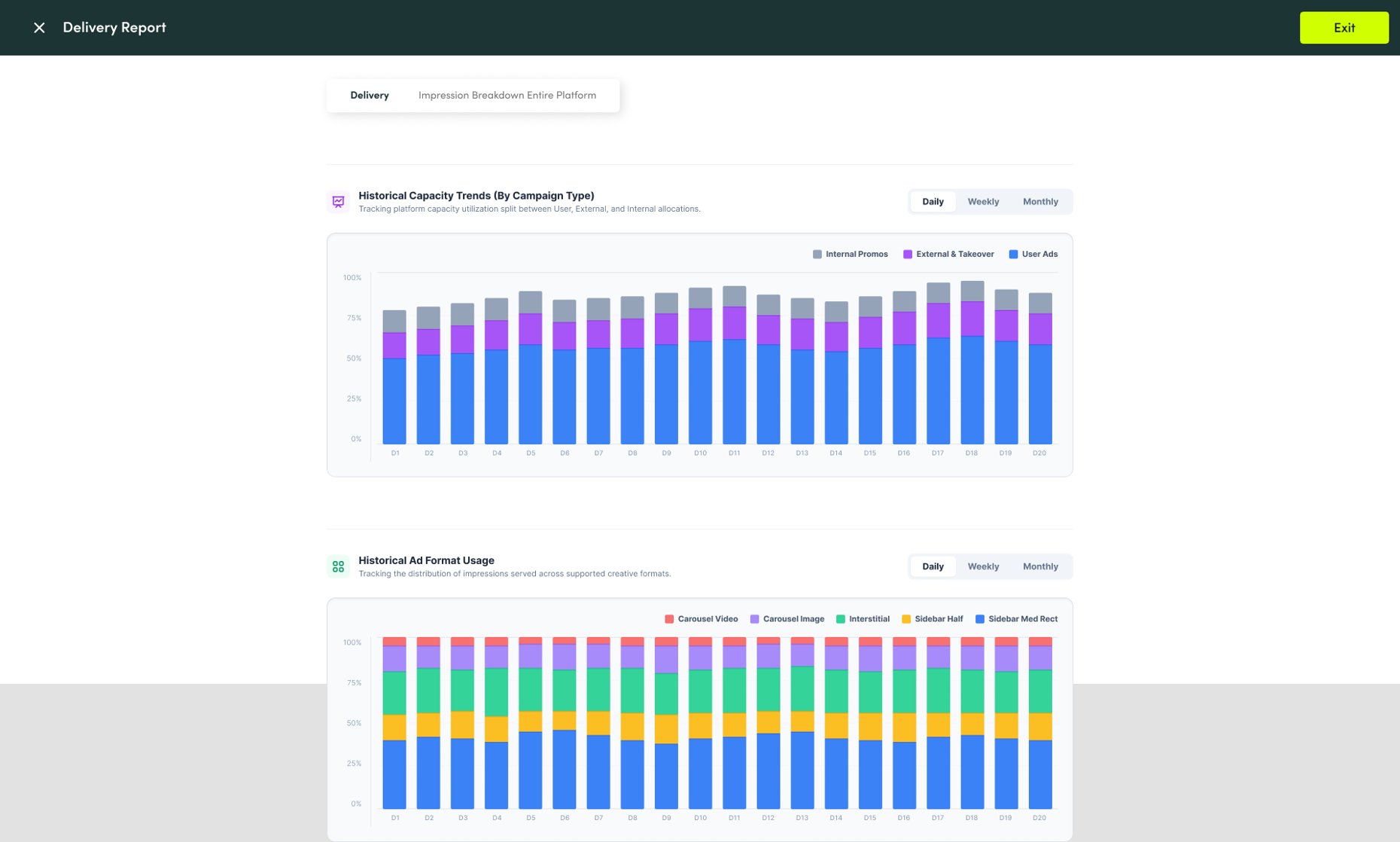
A delivery report charts how capacity is used over time by campaign type and by format. An ad server log keeps 60 days of serving records.
Outcome
This update shipped. Members now have the new targeting and formats, and Cubeler's team runs member, internal and external campaigns from the admin console.
For the research that led here, see Advertiser Research: Personas and Customer Journeys. For the first version, see Cubeler Advertising.