Cubeler · 2024–25 · Web Design and SaaS
B2B Networking and AI Matching
A business network that recommends your next customer, supplier or partner, and helps you close the deal without leaving the platform.
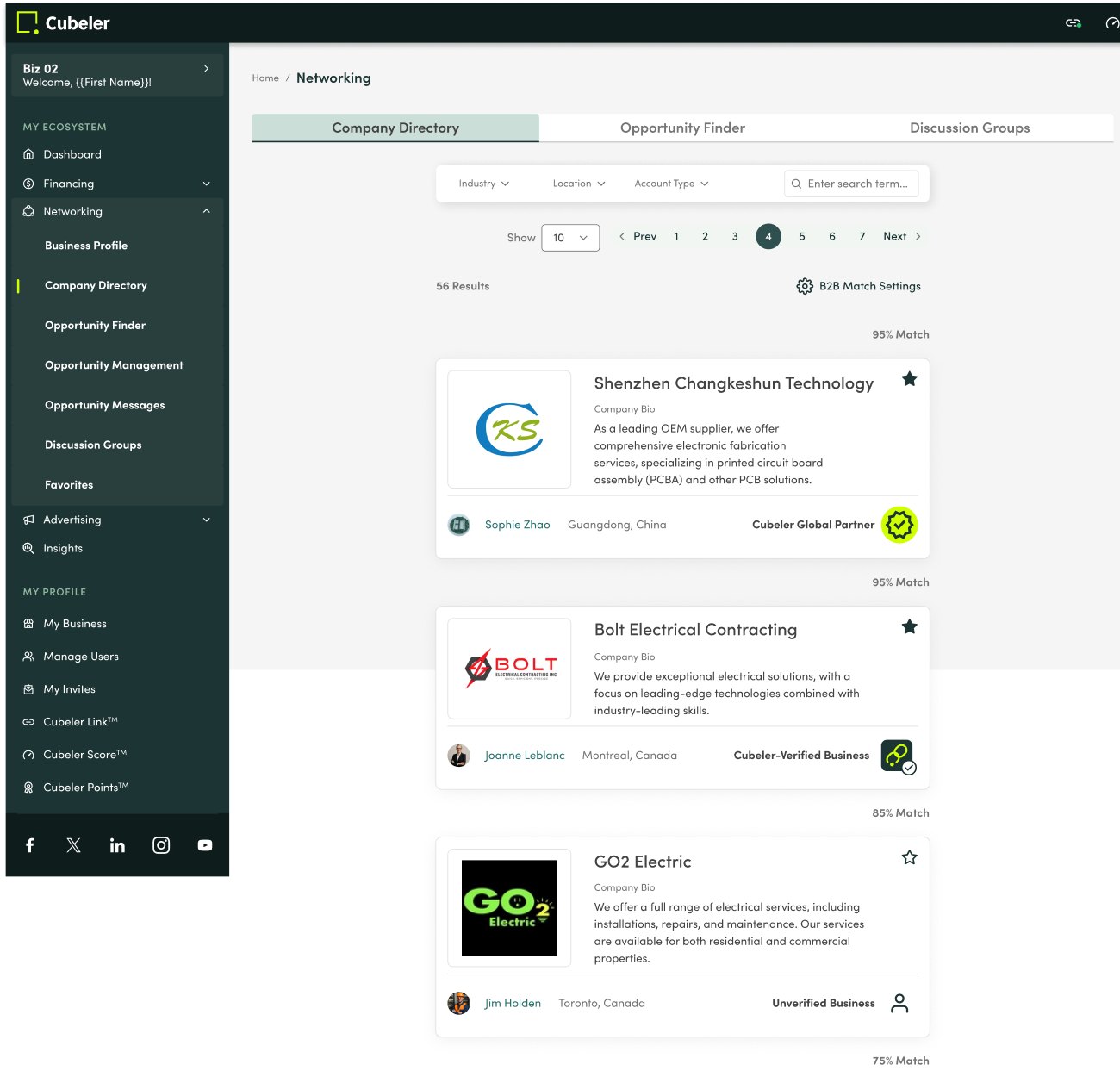
Cubeler is a business hub for small and medium businesses. The networking module is meant to help a business find its next customer, supplier or partner: an AI matching service recommends connections, an opportunity marketplace lets members find projects or post their own, and a built-in tracker manages the relationship from first inquiry to proposal. I took this module from a stalled vision to a design the investors approved.
Introduction
When I picked up the networking module, there were lots of ideas but no agreed direction. Rather than argue opinions, I grounded each decision in a competitive analysis of other B2B networks and marketplaces, and in what our members actually needed: finding the right businesses, being found, and keeping track of conversations that could turn into work. That gave the team something concrete to agree on.
The research behind these decisions has its own page: see Networking Research: Benchmarks, Requirements and Flows.
The result is four connected parts:
- Company Directory: every member and partner business, searchable and filterable, with an optional AI match.
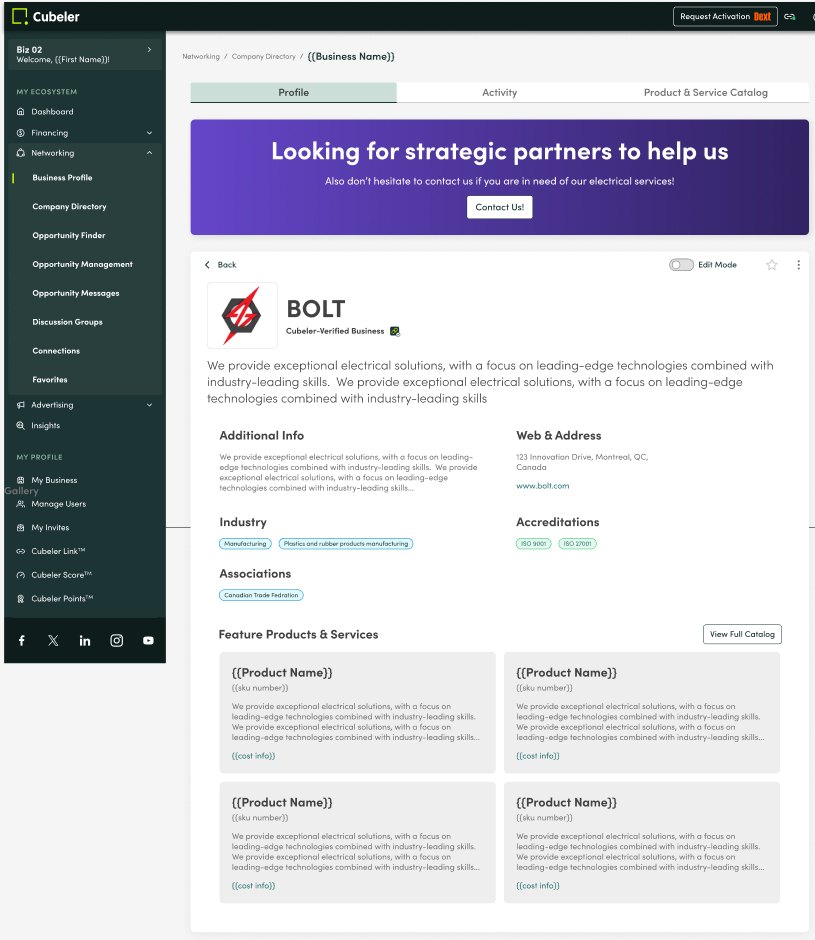
- Business Profiles: each company’s own page, auto-filled to get members started.
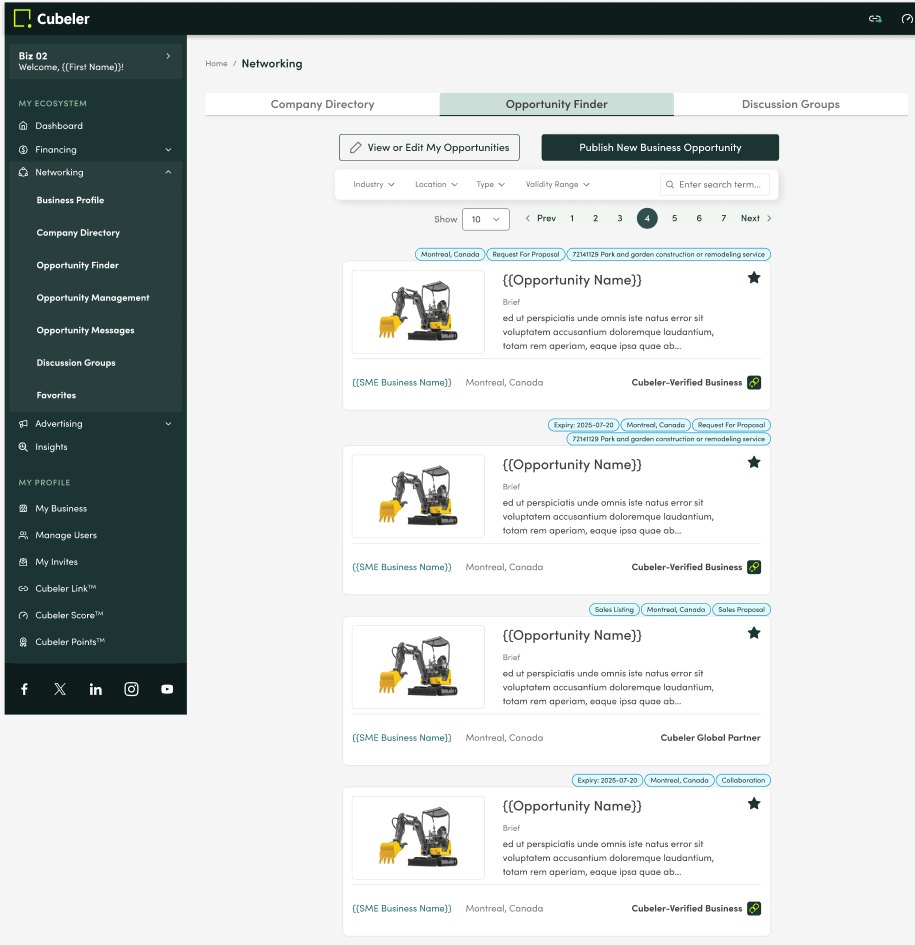
- Opportunity Finder: a marketplace of requests for quote, requests for proposal, collaborations and sales listings.
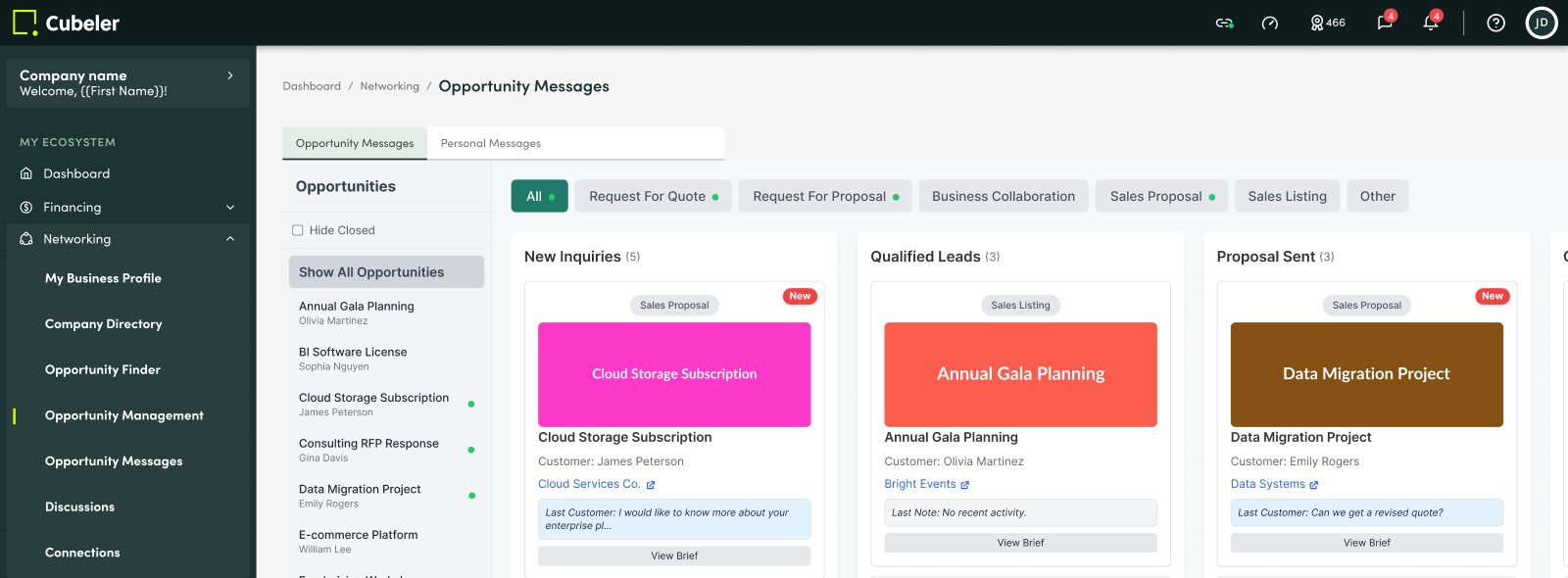
- Opportunity Tracker: a built-in CRM that follows each opportunity from inquiry to proposal.
AI Matching You Can Steer
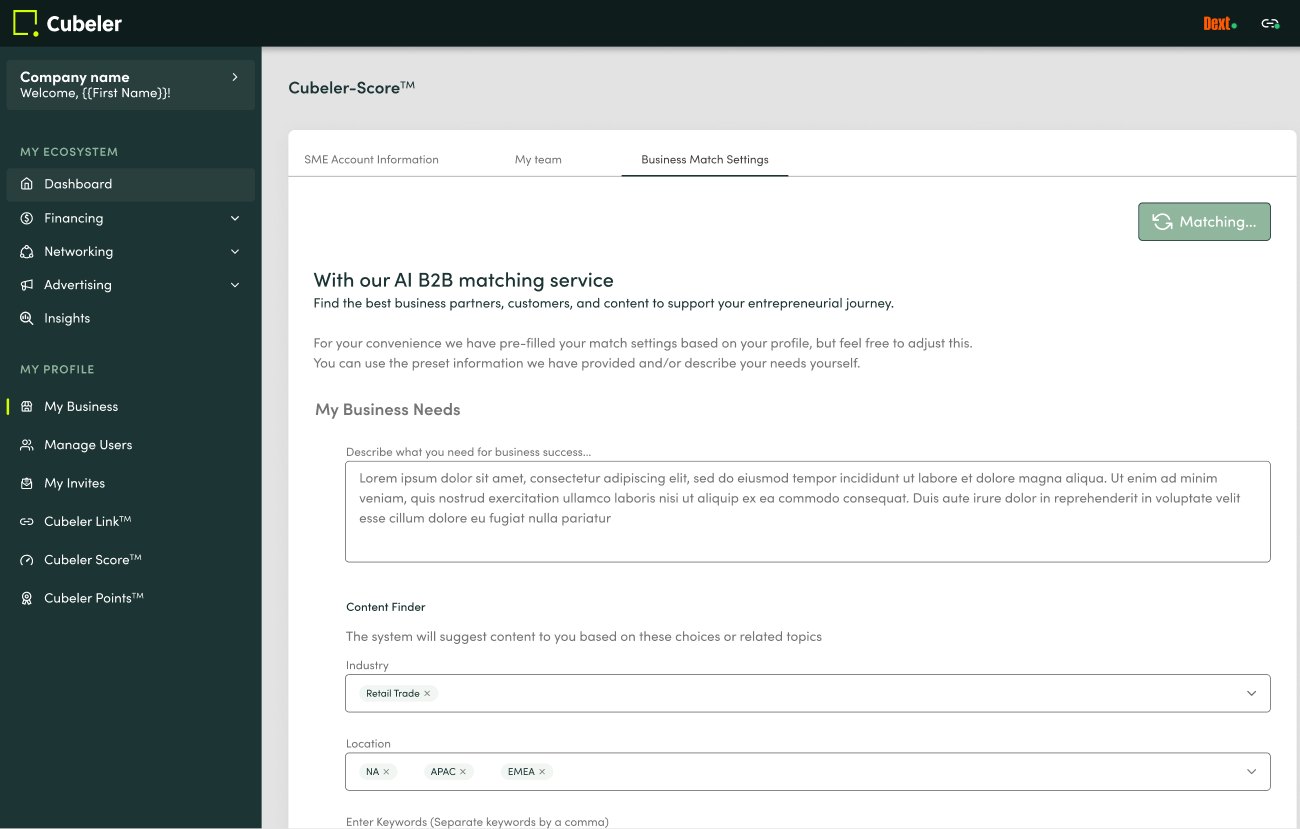
A recommendation is only useful if members trust it, so I made the matching transparent and in their control. Members describe their own business and what they’re looking for in Business Match Settings, and the directory uses that to rank businesses by match percentage.
Pre-filled, never locked
Match settings are pre-filled from the member’s profile so nobody starts from a blank form. They can keep the presets, adjust them, or describe their needs in their own words.
Clear about who you’re looking for
The settings are split into what the member needs, the vendors they’re looking for, their ideal customer and the partnerships they want, so the system knows whether to look for a supplier, a customer or a partner.
One way to filter at a time
When AI matching filters the list, the manual filters are disabled, so the results never mix two logics the member can’t see. Each card shows its match percentage above it.
Honest about waiting
The member starts the match calculation. While it runs, the feature says it’s unavailable instead of showing stale results, and a notification arrives when the matches are ready.
Making a Standard Usable
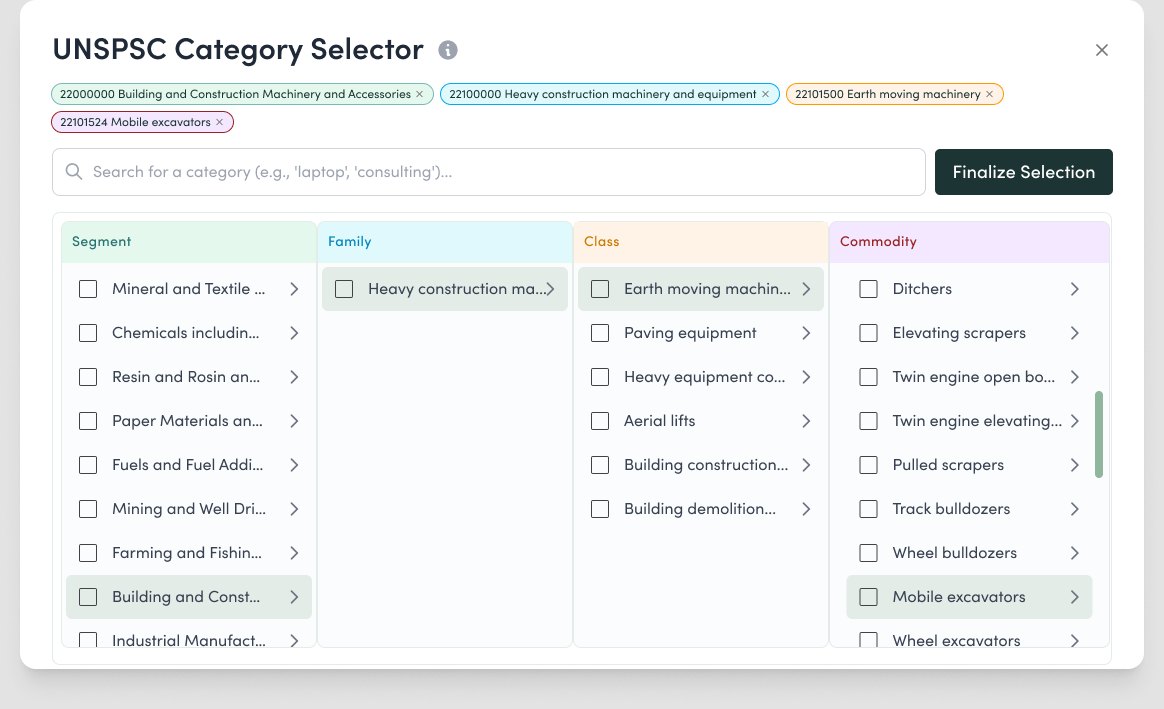
To match businesses reliably, products and services need a shared vocabulary, so we used UNSPSC, the international classification for products and services. It has four levels and tens of thousands of entries, which is a lot to ask of a small business owner. I designed a selector that breaks it down column by column.
- Guided navigation. Picking an item in one column fills the next (segment, family, class, commodity), so members move down the hierarchy one step at a time.
- Less to think about. Members only see one level at a time, and each column scrolls on its own.
- Context and shortcuts. Selected categories stay visible as chips with their codes, and a search box jumps straight to a category like “laptop” or “consulting”.
- One component, two modes. The same selector works with checkboxes for multiple choices or radio buttons where only one makes sense.
Profiles and Opportunities
Each company has its own profile page, reachable from the directory. To help members get started, the system can auto-fill the profile from what it already knows about the business. Since AI can make mistakes, the member reviews it and can edit anything that isn’t accurate.
In the Opportunity Finder, members browse projects, partnerships and service requests posted by other businesses, or publish their own. Creating one starts with choosing the type of opportunity (request for quote, request for proposal, collaboration, sales listing), and each type has its own form. Every listing gives enough detail for a business to decide quickly whether it’s a good fit before making contact.
From Inquiry to Proposal
The last piece was keeping the conversation on the platform. Once two businesses connect, the Opportunity Tracker works like a lightweight CRM, so members don’t need a separate tool.
A pipeline you can see
Opportunities sit on a board in columns by stage (new inquiries, qualified leads, proposal sent), with the latest message on each card and a tag for new activity.
Internal notes stay internal
Each opportunity has a details view with an activity log of system updates and team notes that the customer never sees.
Talk where the work is
A communication tab holds the chat with the customer, shared attachments, and built-in translation for businesses that don’t share a language.
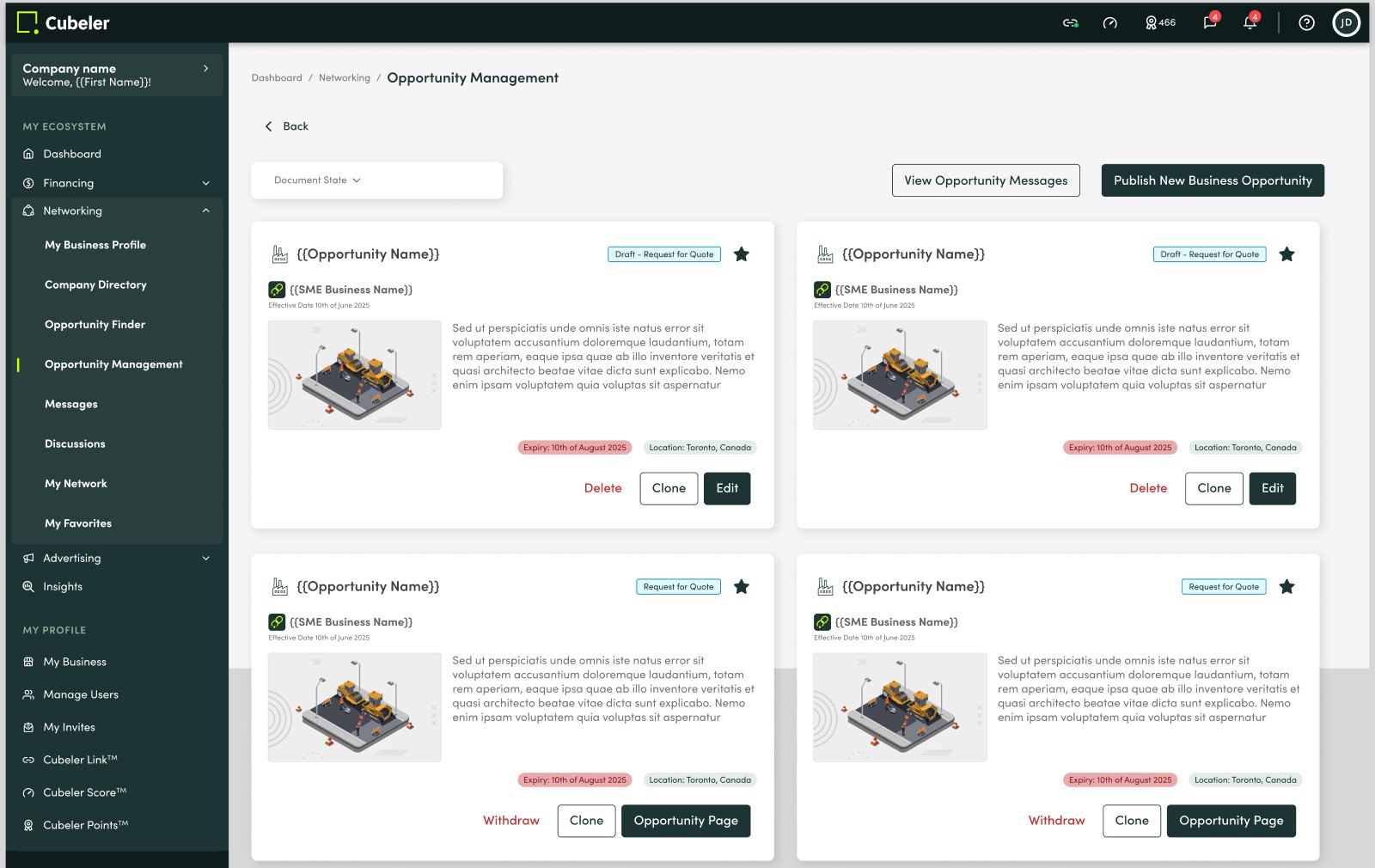
Manage what you publish
Members manage their own opportunities in one place: drafts can be edited, cloned or deleted, and published ones withdrawn.
Conclusion
The design was approved by investors and became the base for the platform’s networking and matching work. My main takeaway is that when a team is stuck, evidence moves things faster than opinions: a competitive analysis and a clear picture of the member’s journey gave everyone the same thing to agree on.