Cubeler · 2026 · Web Design and SaaS
Accounting Plus
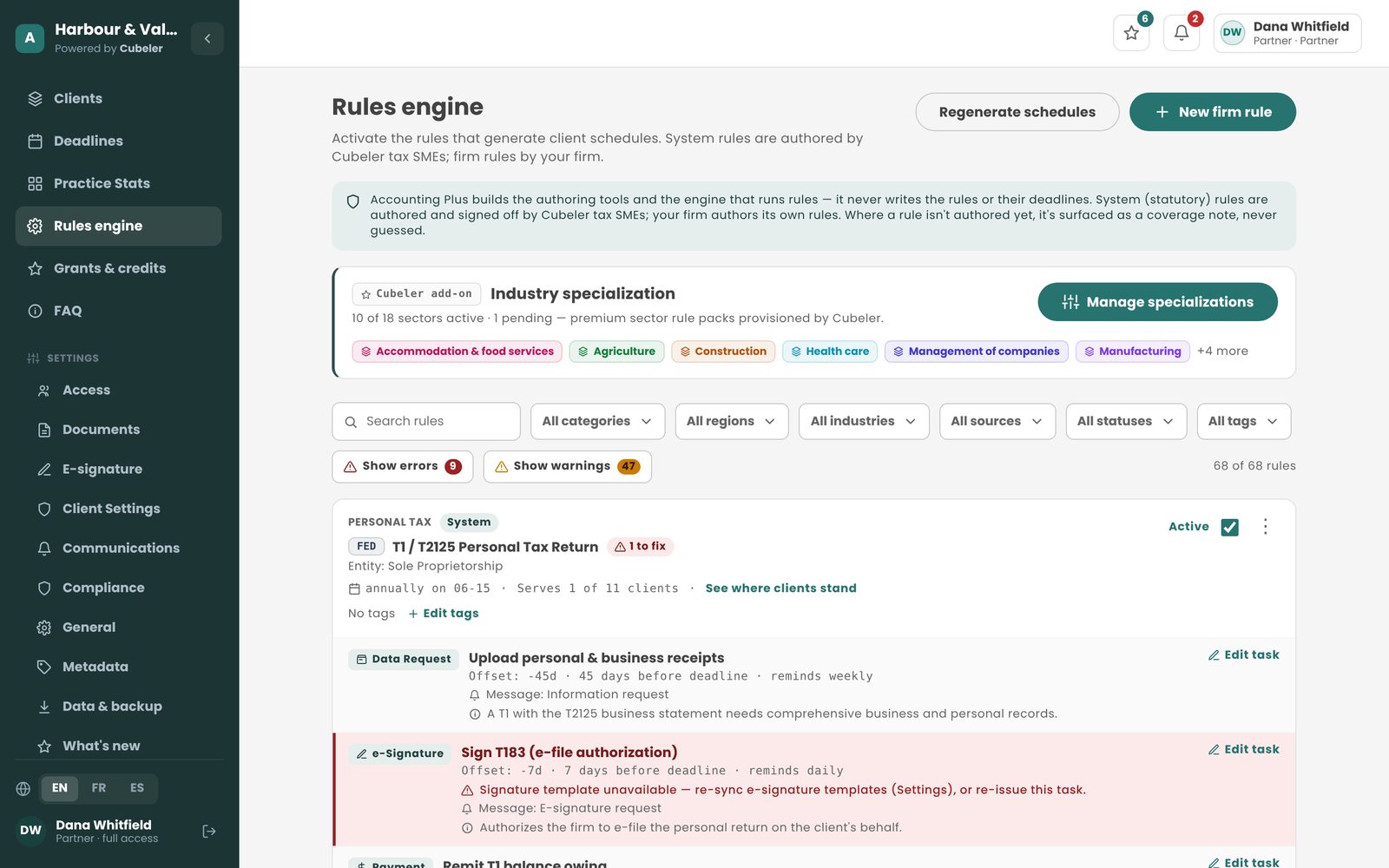
A system that defines the tax compliance schedule for each business client.
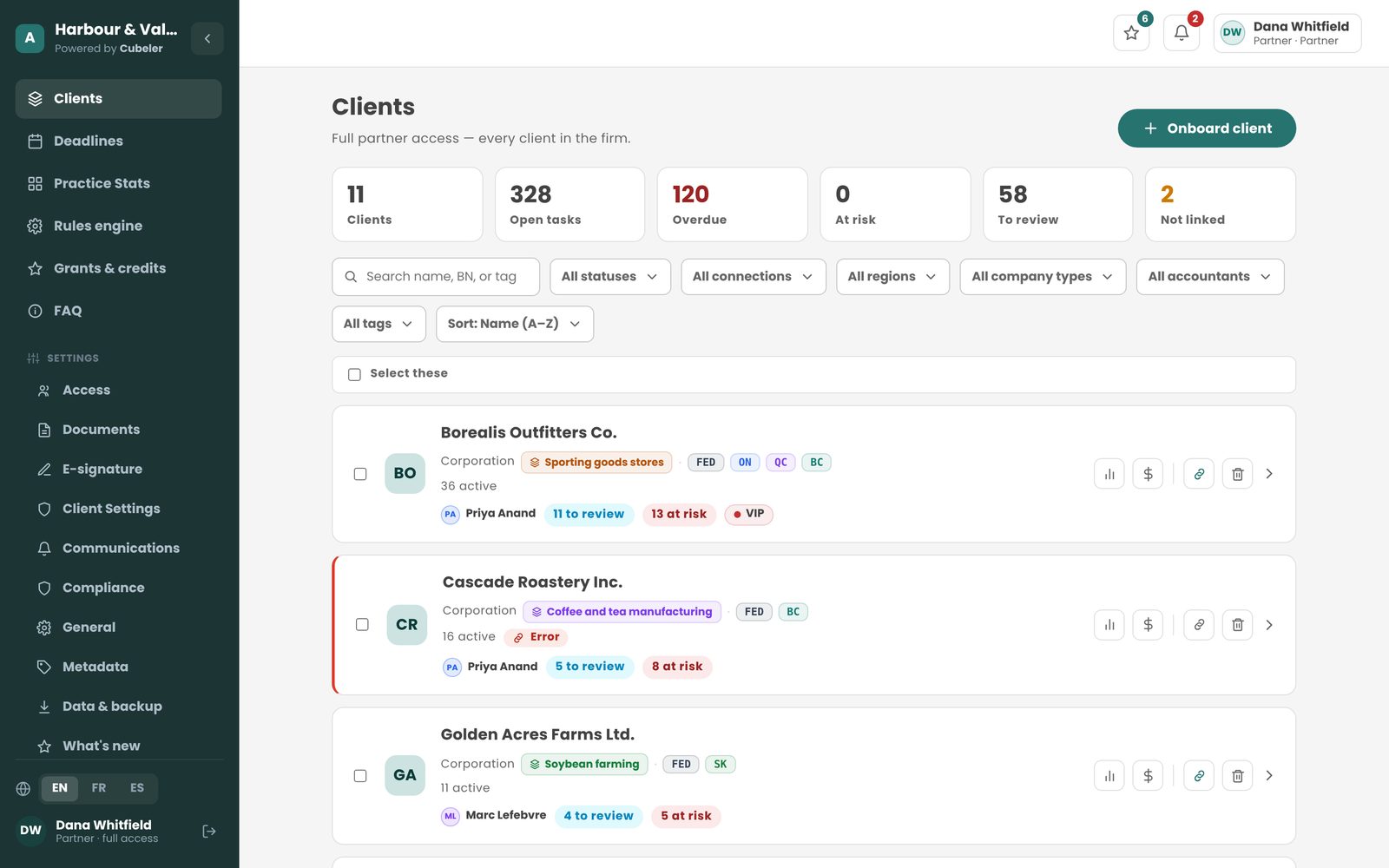
Accounting Plus is a tax/compliance application for accounting firms and their business clients. I defined the product needs based on real interviews with firms, designed the user experience and directed AI coding agents to build it against an evolving specification.
Introduction
Accounting firms and bookkeepers are key partners in Cubeler’s network. But this comes at an acquisition cost, so to offset that cost Cubeler must provide these partners with added value. We have to become “sticky” and give firms a tool that lives in their daily workflow. They will bring their business clients onto the Cubeler platform with them to satisfy that workflow. To do that, the tool has to solve a real pain point for the firm, not ours.
The Problem
A typical firm manages hundreds of business clients, and each one has its own mix of federal and provincial filings, payroll remittances, sales tax returns and industry specific obligations. The dates shift with fiscal year ends, weekends and regional holidays. In the firms we talked to, all of this lives in spreadsheets, inboxes and people’s heads, and staff spend hours chasing clients for documents and signatures. When a client misses a deadline even after all that chasing, the firm pays for it.
The Golden Rule
My Role
- Define the product vision, scope and requirements (PRDs) with the business development team.
- Design the UX/UI, the design system (Material Design 3 themed with the Cubeler brand) and the interaction patterns.
- Write acceptance criteria and review everything the coding agents delivered.
- Run competitive analysis and firm interviews, and present demos to prospects.
- Keep the specification and the build reconciled.
Process
Working with AI coding agents is a big shift in how a designer works. The spec and requirements documentation has never been more important. Sure, a feature or application can be coded ad hoc, but what if six months down the line there are questions regarding the decisions made? What if sales and QA need context about the work? The spec and the AGENTS.md are the product.
There were three actors in this effort: I made the decisions, Claude wrote and checked the requirements, and Claude Code built the application. I never wrote spec text, and the coding agent never made a product decision. Everything that changed the product went through the spec first. Of course, there were times I had to overrule the spec because I noticed problems with the workflow, discovered new constraints, or the coding agent brought them to my attention.
The spec was not a document, but rather a versioned bundle: one zip file that was regenerated every time something was changed or decided. It grew from 14 files to about 400, organized into folders with information for stakeholders and AI agents. The coding agent read its folder first, stakeholders read theirs, and everything that came back from the build was available in a shared folder, so nothing got lost.
| Folder | Written for | What’s inside |
|---|---|---|
00_START_HERE.md | Everyone |
|
01_Agent_Build_Docs/ | The coding agent |
|
02_Human_Docs/ | People |
|
03_Agent_Feedback/ | Both sides |
|
04_Agent_Backend/ | The coding agent |
|
A few rules kept the 400 files coherent:
- A fixed reading order. The UI style reference says how it looks, the interaction patterns say how it behaves, the PRDs say what each feature does, and the prototype makes it more concrete. However, the spec wins over the prototype when they disagree.
- Built-in accountability. Every change and decision lands as a dated entry. Decisions and open questions receive IDs so a report, a review and a PRD can refer to the same thing.
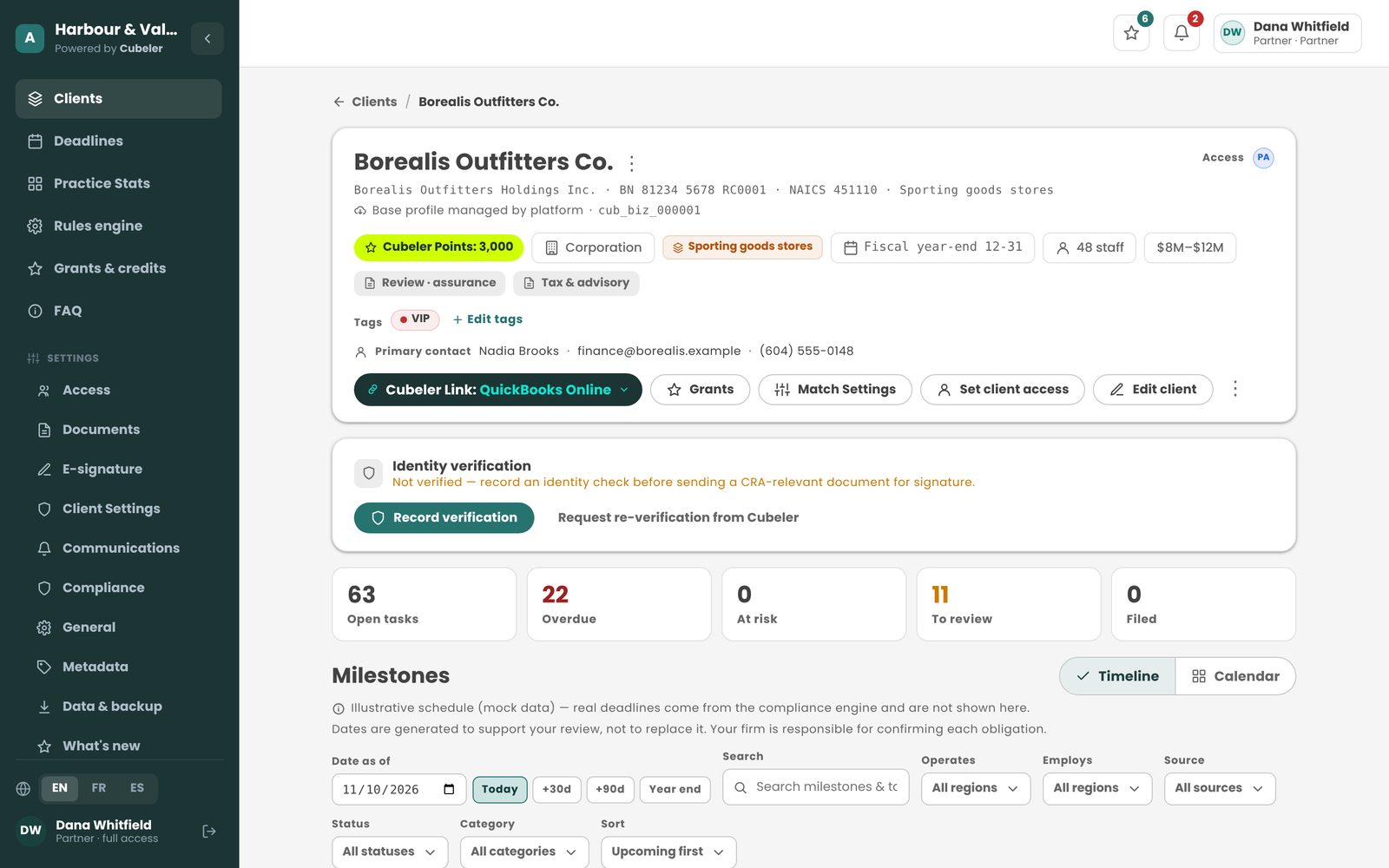
- No agent guessing or hallucinations. A missing decision became a numbered question for me. A missing tax rule became a visible coverage gap in the product, never an invented date.
Once the development started, the work settled into a repeating loop:
- Brief. A work brief for the next increment: the goal, the decisions already made, the build order, and the evaluation that proves each step is done.
- Build. The coding agent built with the bundle as reference and ended each session with a status report: commit hashes, what shipped, assumptions it made where the spec did not provide direction, and corrections made to its own assumptions.
- Verify against the code. Every claim in a report was checked by Claude (the latest model available) in a snapshot of the code before it was accepted. The reply ranked findings by severity, and each pointed out a failure or omission.
- Register and decide. Decisions went into the register and the PRDs. Open questions, like scope or legal posture, came back to me as short questions, each with a recommendation.
The process of working with agents helped me to define some rules to produce the best outcomes. Each one exists because something went wrong without it.
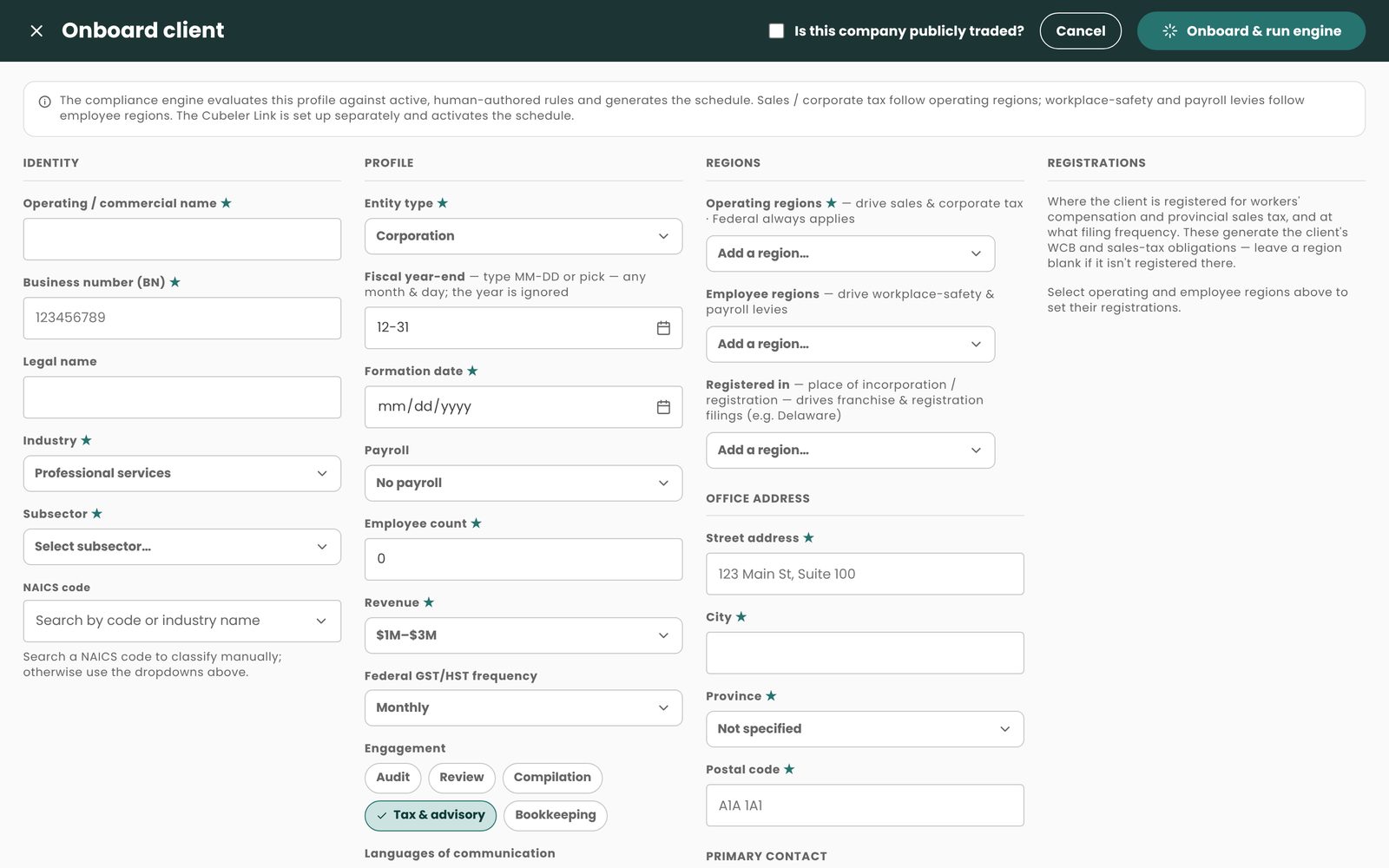
- Prototype first. Before any production code, I had a single-file prototype built straight from the requirements to test them. This helped me to refine the specs and requirements.
- Rigorous auditing. The code was thoroughly reviewed and gap analyses were performed at regular intervals.
Design Decisions
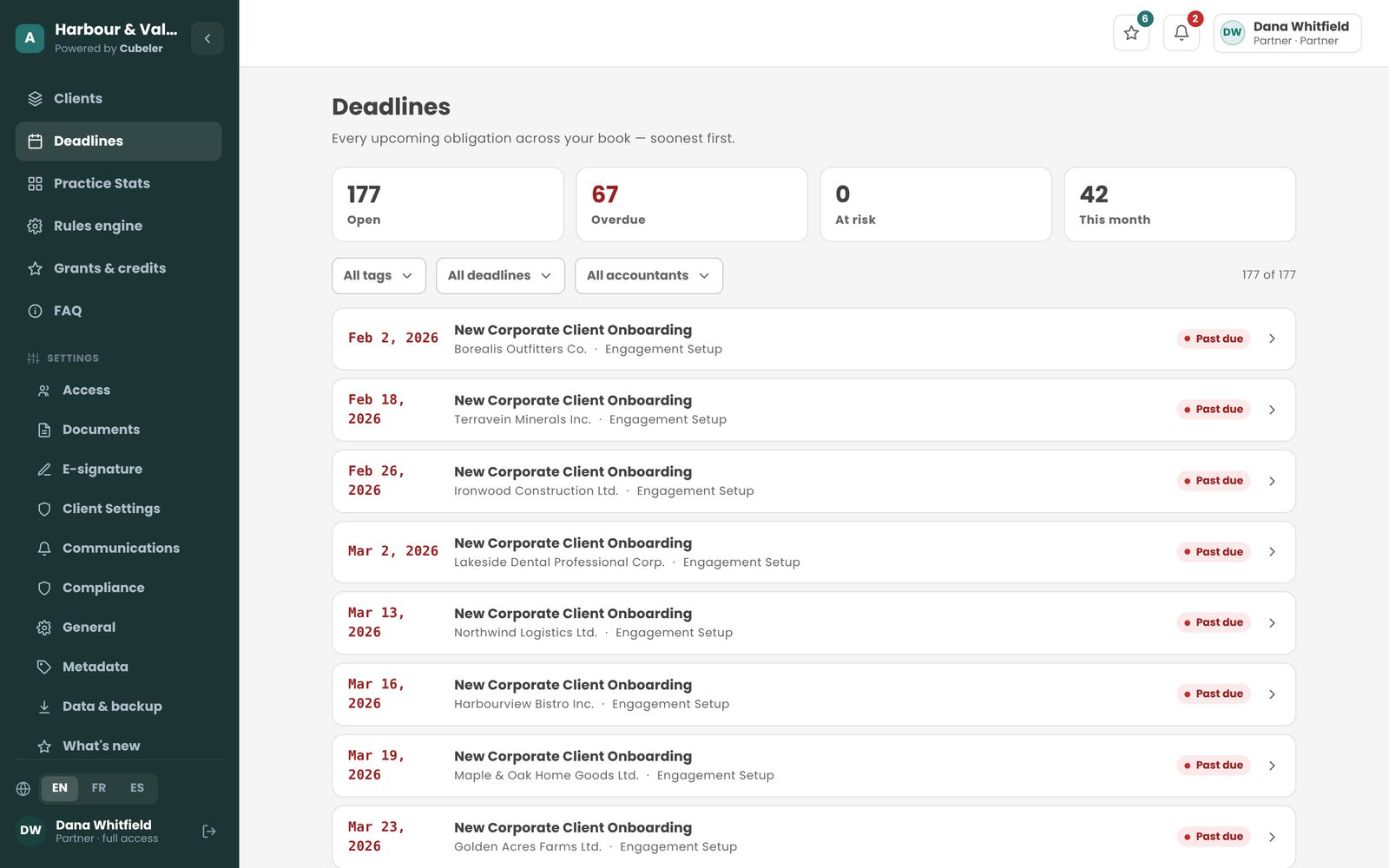
Unified client view
Highlights urgent tasks and filters easily for rapid triage.
Transparent scheduling
Clear milestone origins and forward-looking calendar views.
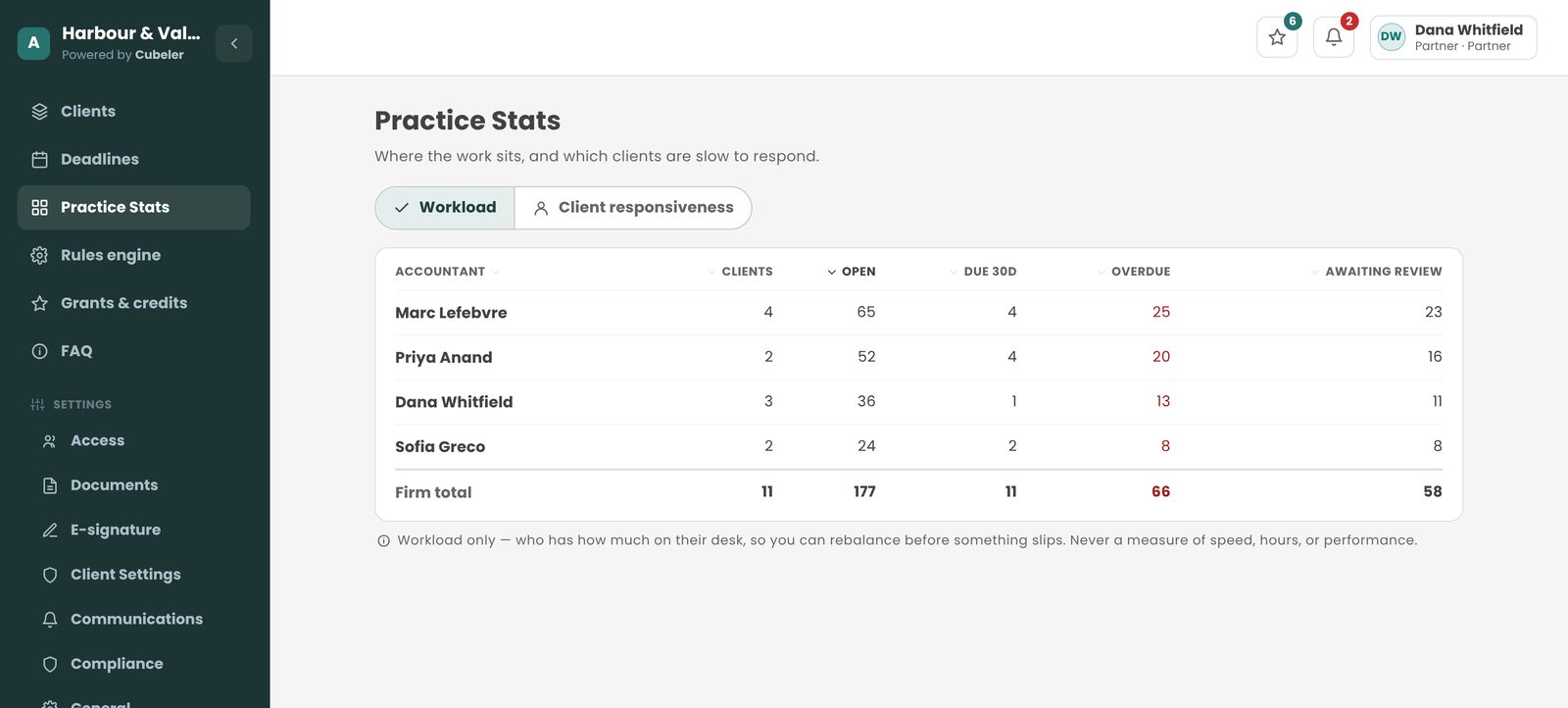
Fair workload tracking
Shows task volume to balance work, not measure speed.
Bilingual by default
Built in English and French simultaneously to meet legal needs and save costs.
Tech Stack and Integrations
I wanted the agents building against real services from early on, not just mocks, because an integration that only works against a mock hasn’t been tested. Each third-party service sits behind its own small interface, so the provider can change without touching the product. That’s how e-signature went from DocuSign only to DocuSign plus Adobe Acrobat Sign, and storage from one provider to three.
| Layer | What we used |
|---|---|
| Firm app and client portal | React and TypeScript on Vite, in one npm workspace with two apps. TanStack Query for server data, React Hook Form with Zod for forms, React Router, Luxon for dates, and i18next for English and French. The client portal is a separate app on its own origin, and a lint rule stops it from importing anything from the firm app. |
| Backend | First TypeScript on Fastify, then a parallel Python rebuild on FastAPI, Pydantic and SQLAlchemy that became the product. Stored OAuth tokens are encrypted at rest with AES-256-GCM. |
| Database | PostgreSQL on Neon. Row-level security keeps each firm’s data separate, and the app connects as a role that can’t bypass those rules. Tests ran against throwaway Postgres containers (Testcontainers). |
| Documents | A built-in document store on Amazon S3 (Canadian region), or the firm’s own Google Drive, Dropbox or OneDrive connected through OAuth. Every upload goes through a virus-scanner interface built for ClamAV, with version history for each document. |
| E-signature | DocuSign and Adobe Acrobat Sign. The firm connects its own account, and a document only counts as signed when the provider’s signed webhook says so, never when the browser returns. |
| Plain SMTP, so a firm can use any mail server. In development, Mailtrap’s sandbox caught every message, so nothing reached a real inbox. | |
| Identity verification | Interac for Canadian clients and Persona for US clients, behind one interface. A clearly labelled demo stub was used while the real Interac integration waited on a contract. |
| Accounting data | QuickBooks Online through Cubeler Link, built first as a stub from a written contract so the rest of the product didn’t have to wait. |
| API contracts | An OpenAPI file for each audience (firm, client, admin). TypeScript types are generated with openapi-typescript and Python models with datamodel-code-generator, the files are linted with Redocly, and a conformance suite calls every endpoint and checks every response against the contract. In development, Mock Service Worker served the frontend from the same contract. |
| Testing | Vitest and Testing Library for the frontend, pytest for Python, Playwright for end-to-end tests, and axe for accessibility. ruff, mypy and ESLint ran in the same gate. |
| Source control and CI | Git and GitHub: private repositories for the frontend, the TypeScript backend and the Python fork. GitHub Actions ran typecheck, lint, tests, contract checks, an engine-parity check between the TypeScript and Python engines, a dependency audit and a secret scan on every push. Dependabot raised update PRs. |
| Webhooks in development | An ngrok tunnel gave DocuSign a public address to call back to on a laptop. |
| Edge | Designed to run behind a CDN and firewall (Cloudflare assumed) without depending on it. Rate limits and security headers live in the app. |
I was finally able to test the system end to end: a client signed a document in DocuSign, and it automatically saved to Google Drive. Using real services instead of mock-ups proved the setup worked.
The biggest lesson is that AI agents need strict rules. By building standard boundaries and tests for each service, adding new ones became a quick task instead of a complete rewrite.
Conclusion
When AI writes code, the result is only as good as your instructions. Writing clear rules and logging decisions right away improved quality more than any manual code review.